01
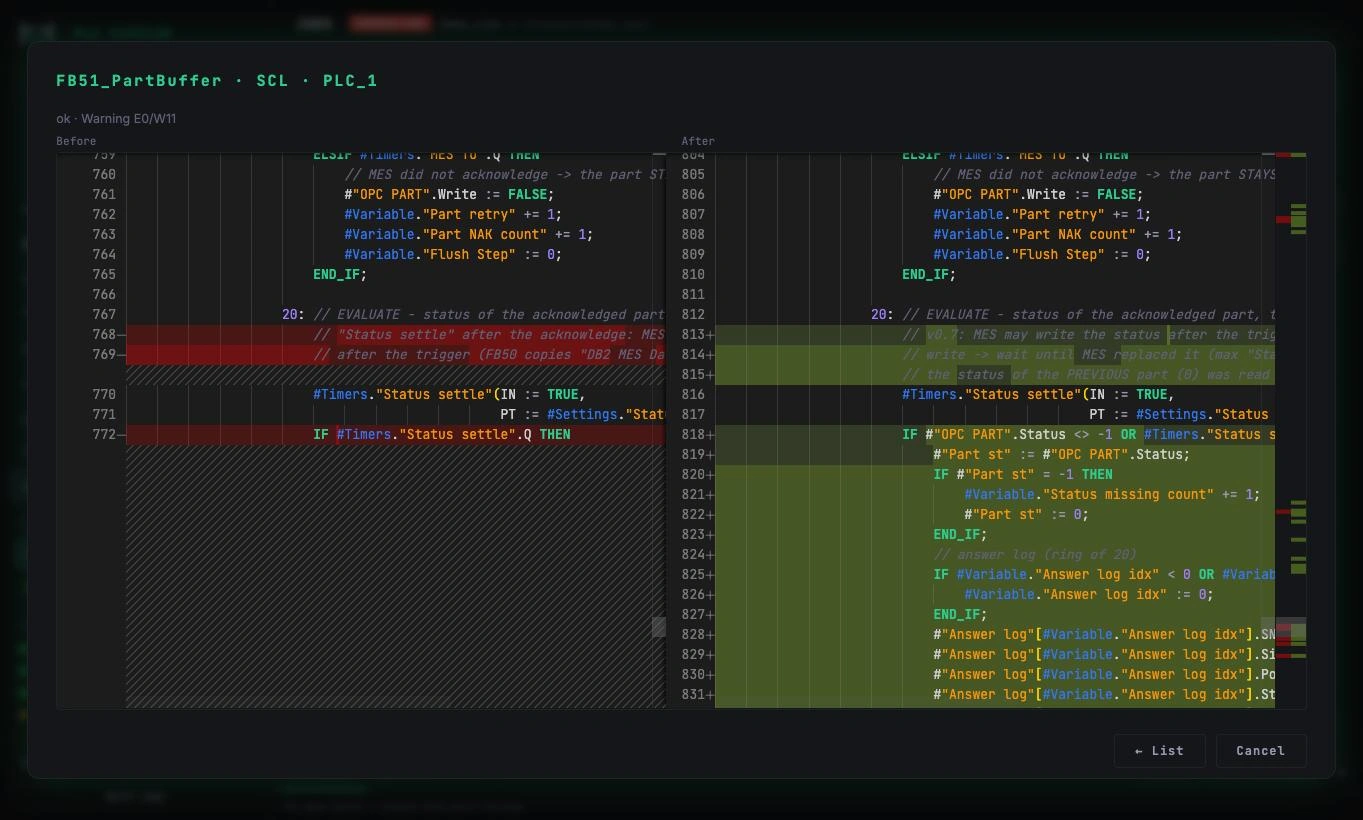
Every change, side by side.
Before and after for each block, straight from TIA Portal. You see exactly what the AI changed, line by line.
The AI sidecar for TIA Portal.
Any AI model reads and edits your PLC software through TIA Openness. You review and approve every change.
// Built by a PLC programmer, for PLC programmers.
Any model reads the project and drafts the change: SCL, LAD, an HMI screen or a watch table.
A version first, then a before and after review. Nothing reaches a production project without your confirmation.
Only through the official Siemens interface. No hacks, no shortcuts.
The whole PLC is compiled and the project saved. You download to the PLC when you are ready.
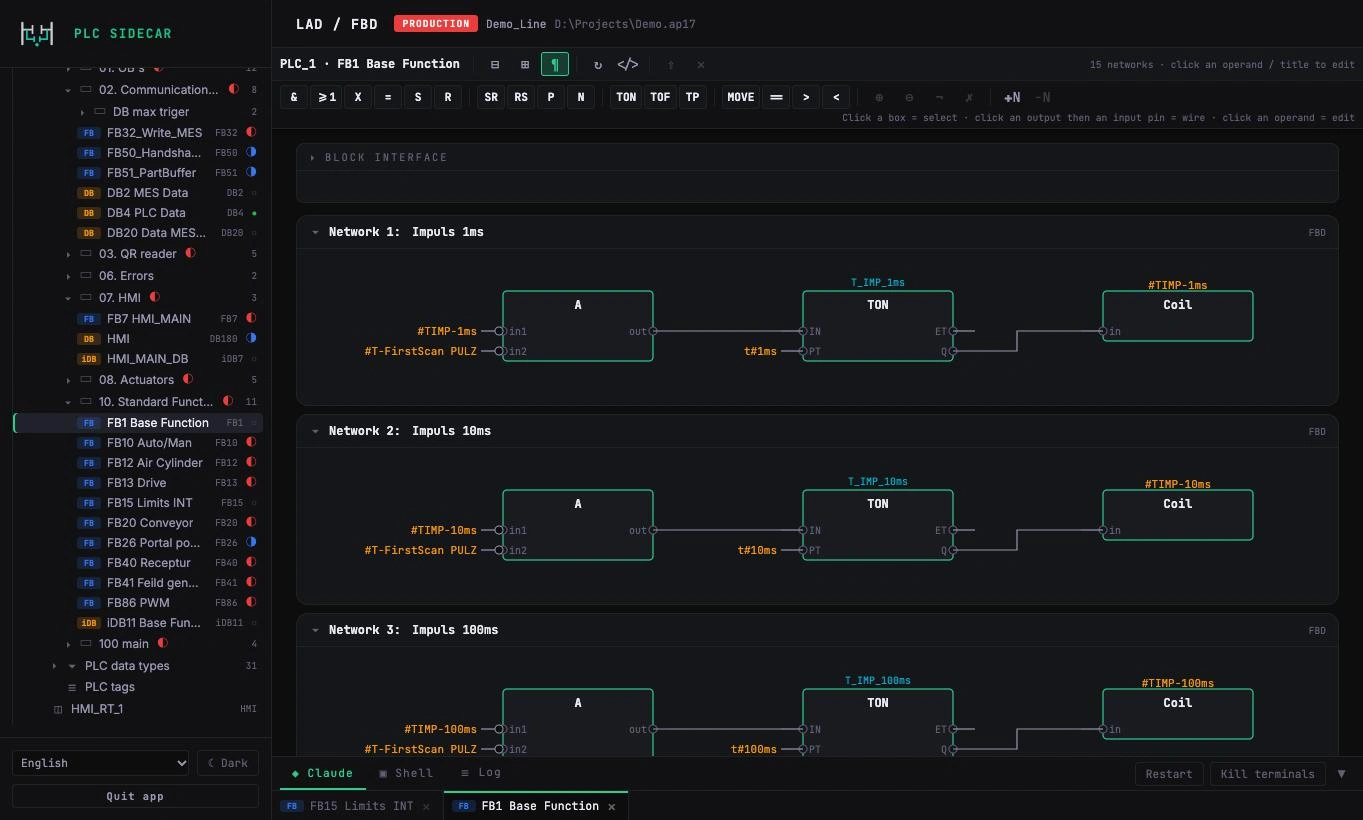
Text or graphics, the AI works in the language of the block and PLC Sidecar carries it into TIA Portal and back.
The full program tree, regions, search and history right next to the code.
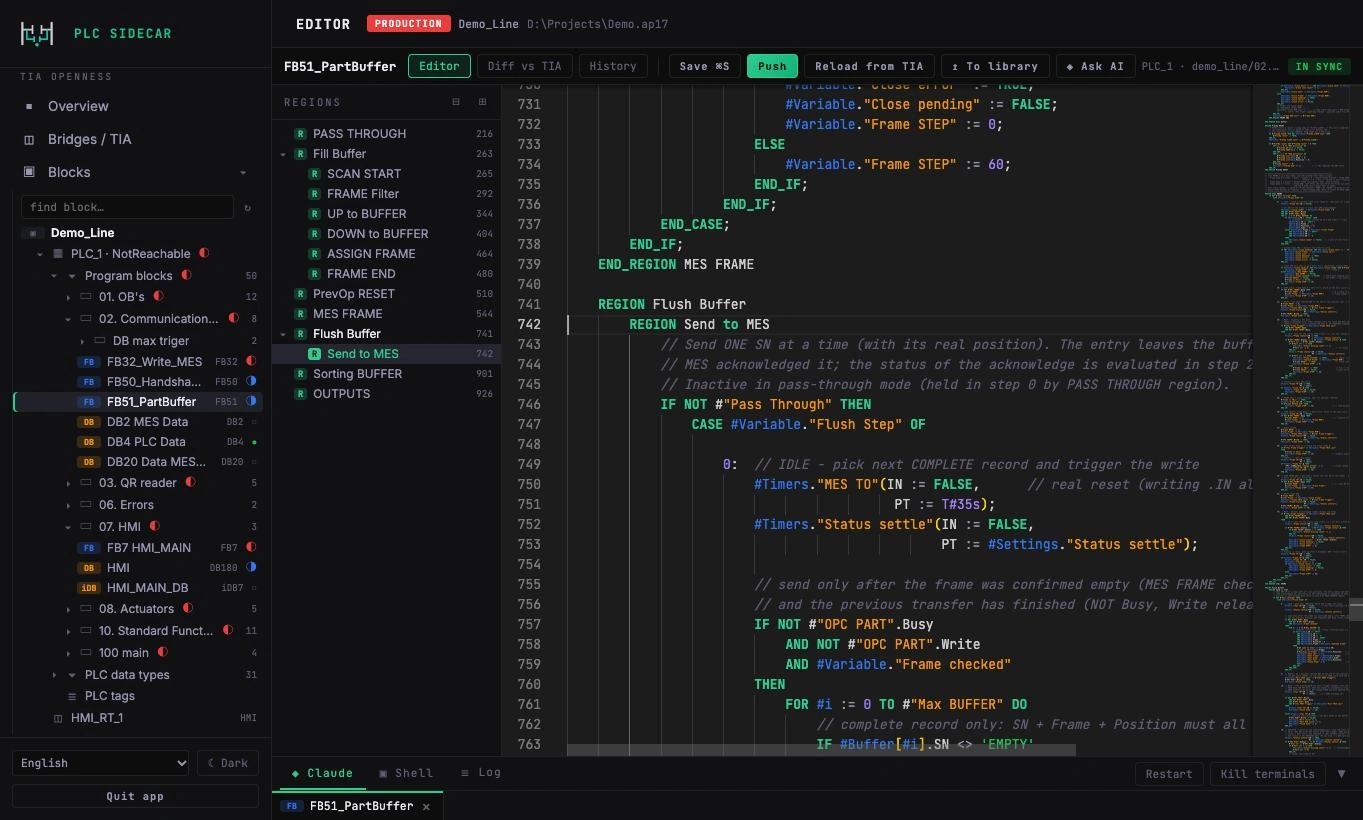
PLC Sidecar runs natively on Apple silicon. TIA Portal stays in its Windows world: in Parallels Desktop on the same Mac, on a Windows PC or on a VM anywhere in your network. An encrypted tunnel connects the two.
Before and after for each block, straight from TIA Portal. You see exactly what the AI changed, line by line.
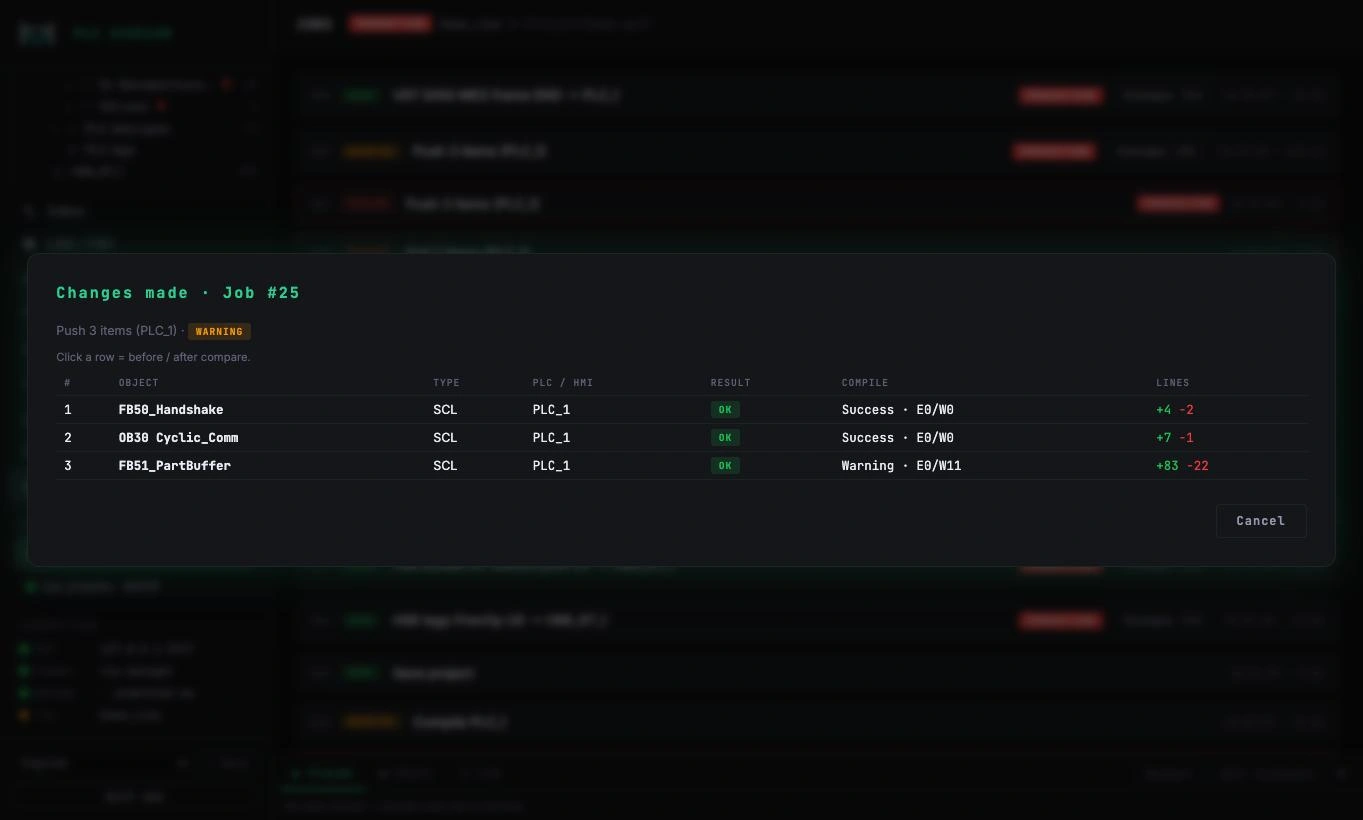
Each job lists the objects, compile results and lines changed. Nothing happens silently.
Function block diagrams with boxes, inputs and outputs, rendered network by network.
Browse screens, inspect every object and its tag links, generate HMI tags from PLC data.
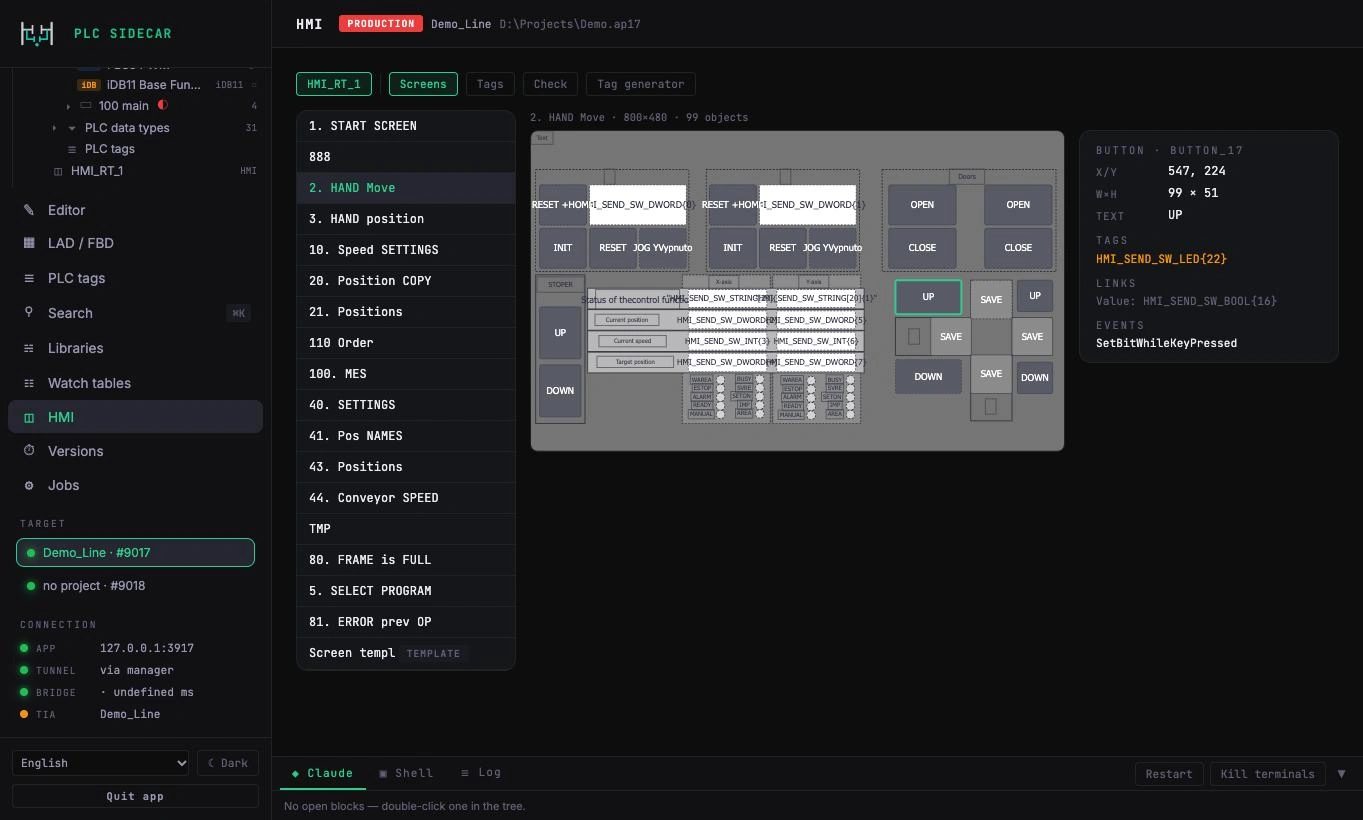
Every push compiles the whole PLC, saves the project and checks that TIA Portal is still alive.
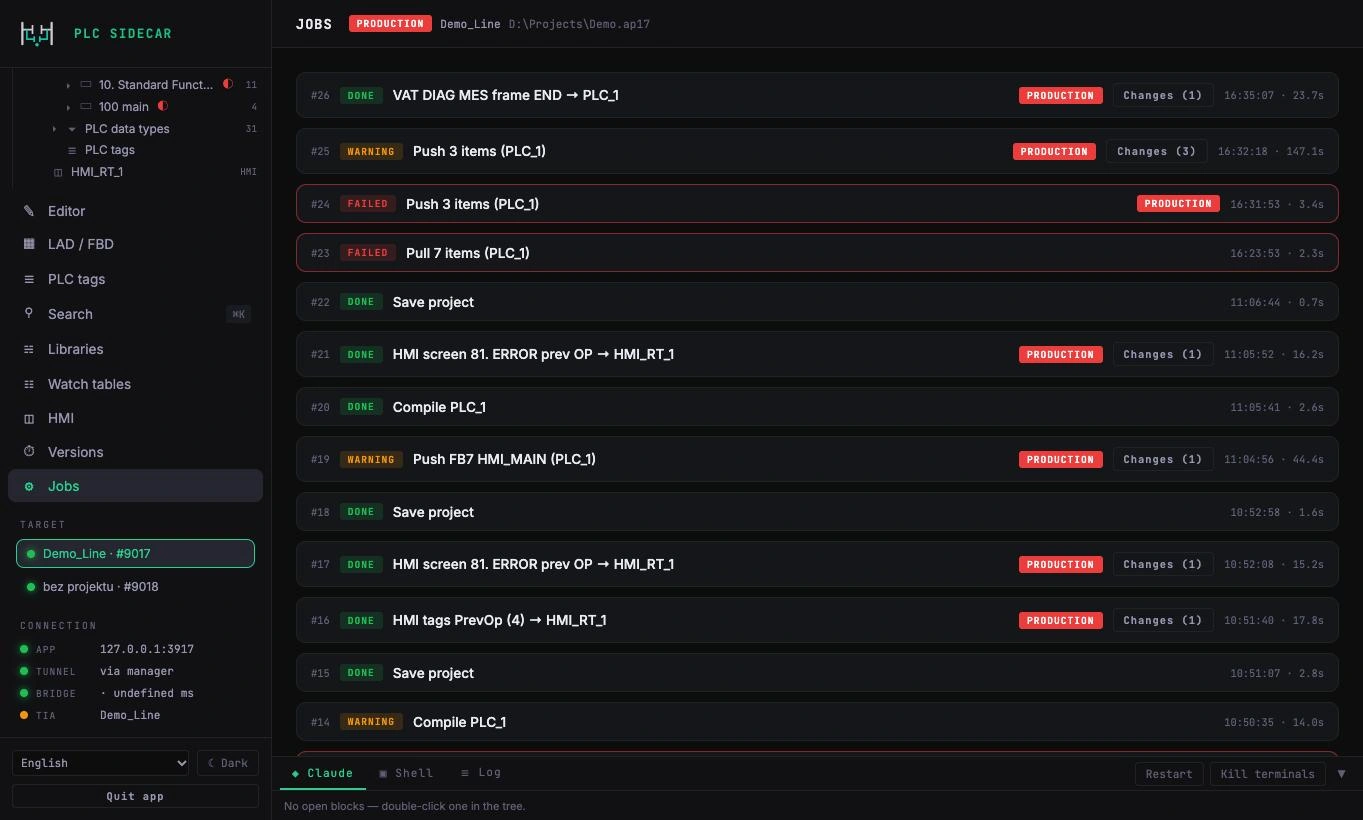
PLC Sidecar touches the project only through the official Siemens interface TIA Openness. The download to the PLC is always done by a person.
PLC Sidecar never downloads to the PLC. Going online with a running line stays your decision.
// Built by a PLC programmer, for PLC programmers.